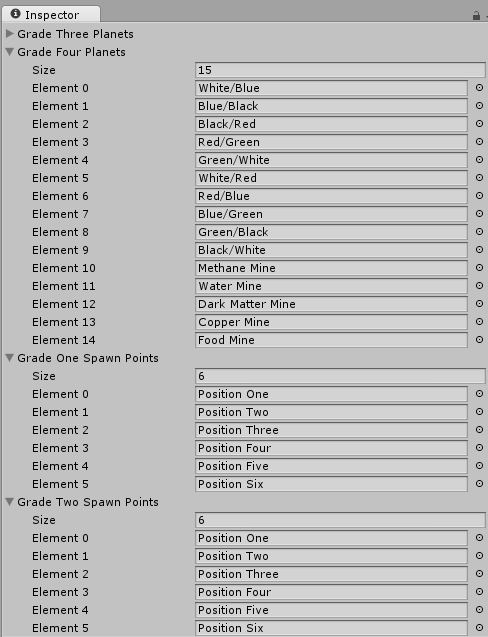
Today was spent learning how to shuffle game objects within an array upon the game starting. This was so that the objects would go back to their original and organized state when the game was not getting played. Needless to say there were several problems mainly when I was referencing the given variables because the algorithm itself was sound. Once I was done with this however I was able to apply this function to all of the arrays that needed it so essentially the "decks" of the grade one through four planets. This was also applied to the tourists for the same reasons. I also started working on a way of spawning the planets within the game but stumbled upon a few problems. One of which was weather to remove all of the planets from the hierarchy and make them all prefabs so that they could be created and destroyed more easily or weather to keep them as part of the hierarchy. I am still unsure of how to move the planets into their correct positions based on the spawn points that I have created however so that will need to be fixed the next time that I work on this. That I presume will take the entire class to get all of the spawns working for the grade one through four planets along with the tourists.

 The goal for today was to get the planets that needed to be blacked out blacked out while still having access to their original textures. How to do this? First I created a Boolean to keep track of weather the planet was visible or not. That was simple enough, but I ran into problems when I attempted to change the textures based on this variable. I tried several ineffective and weird things like attempting to put references to each and every texture within every planet and only using the applicable ones. This would have required me to put 21 references within each prefab so that would have taken a very long time. Every planet only would need two references so I just decided to use two general names. As you can see by the picture to the right I've created a reference to the texture "none" as well as a reference to a texture "norm". For each planet none is always the file blackbox.jpeg but the reference within norm does vary. The reason for this is so that none can be used when the planet is supposed to be blacked out and "norm" can be used when the planet is its normal color. So far this seems to be working so I shall continue down this route. In other news I also fixed a slight error I didn't know that the game had. Apparently my spawner script was creating six times as many planets and tourists as it needed within the hierarchy so I adjusted the spawn function accordingly. Next class the plan is to (hopefully) attach all the models to the planets and the tourists as well as starting some way of keeping track of the planets that the player owns.